
Personalizing Photo Booth Templates: Frames That Captivate
A generic template turns a unique memory into just another photo. By contrast, a frame with the couple's names or the company logo transforms every print into a detail people keep for years. We'll show you how to design templates that captivate.
In short
Personalizing a photo booth's templates means designing the frame around each photo with the names, date, logo and graphic style of the event. A good template reinforces the identity of the wedding or brand and multiplies perceived value. With good software you can create and change templates in minutes, adapting them to each client at no extra cost.
Why the Template Changes Everything
The template is the first thing the person receiving the photo sees, and it defines the impression of the keepsake.
Personalization at weddings
At a wedding, a template with the couple's names and the date turns every photo strip into an irreplaceable memory. Guests stick it on the fridge and keep it. It's a detail that lifts the photo booth for weddings above an anonymous service.
Branding at company events
At a company event, the template is pure advertising: every photo carries the brand's logo and colors and gets shared on social media. A photo booth thus becomes a marketing tool with measurable return.
- At weddings: names, date and the couple's style
- At companies: logo, corporate colors and hashtag
- At birthdays and parties: theme and the guest of honor's name
- Always: visual coherence with the event's decoration
Keys to a Good Template Design
Not all personalization works. These are the rules that separate an elegant template from a cluttered one.
Less is more
Let the photo breathe. An overloaded frame steals attention from the people. Use the logo or names with elegance, without saturating.
Coherence with the event
The colors and typography should dialogue with the decoration and the invitations. A template that matches the event's style looks tailor-made, because it is.
Formats adapted
Design with the output format in mind: vertical strip of several photos, landscape postcard or square for social media. Each format looks best with a different composition, something that connects with the content formats you offer.
The Software Does the Work
A great template idea is useless if the software is rigid and complicated. Here is the real competitive advantage.
Good photo booth software lets you create, edit and load templates in minutes, reuse designs and change them on the fly. Being able to offer a personalized template at every event, at no extra cost, is a very powerful selling point.
Our photo booths include lifetime-license software and customizable templates, so each client receives something unique without you relying on an outside designer.
Personalization as a Selling Point
Offering tailored templates isn't a technical extra: it's what lets you charge more and stand out. The client doesn't pay to print photos, they pay for a keepsake with their name on it.
In a profitable photo booth business, personalization is what justifies premium rates and earns referrals. If you want equipment with flexible software and unlimited templates, discover the models to buy a photo booth and start creating frames that captivate.
Where Photo Booth Templates Come From
Professional booth software ships with a template library that is editable in place, and that is the first thing to look at before paying for anything. Magic mirror photo booth templates usually come bundled the same way, with the animation layers already set up.
Outside the software, Canva has photo booth strip templates and 10 × 15 layouts you export as PNG with transparency. Free photo booth templates and template free downloads circulate widely, and most are fine as a starting point with one caveat: check the resolution before you fall in love with one. A template designed at screen size and stretched to print looks pixelated on paper, and there is no fixing it at the event.
The practical setup is three base templates you own: one classic, one minimal, one playful. For each event you change names, date and one accent colour. That takes preparation time from an hour to ten minutes and keeps quality stable across a season.
A vintage photo booth template is a special case: four frames stacked vertically, thin white gutters, no logo except a small mark at the foot. It has not changed in seventy years because it does not need to.
- Photo booth template library inside the software, editable in place
- Photo booth strip template: four frames vertical, thin white gutters
- Printable photo booth template at 300 dpi on the final size, never upscaled
- Three base templates you own: classic, minimal, playful
- Photo booth wedding template: names, date, one accent colour, nothing else
- PNG with transparency for every overlay you place on the photo
Frequently Asked Questions
Can photo booth templates be personalized?
Yes, photo booth templates are fully personalized with names, date, logos, colors and the event's graphic style. With good software you can create and change templates in minutes. This turns every photo into a unique keepsake and reinforces the brand or the wedding.
What should a wedding photo booth template include?
A wedding template usually includes the couple's names, the wedding date and a graphic style in keeping with the decoration. Ideally an elegant, uncluttered design that lets the people take center stage. That way every photo strip becomes a memory worth keeping.
Can I put my company logo on the photo booth photos?
Yes, at company events the template can carry the logo, the corporate colors and a campaign hashtag. Every shared photo thus becomes brand advertising. It's one of the great advantages of the photo booth as a marketing tool.
How much does it cost to personalize a photo booth template?
With the right software, creating or adapting a template has no extra cost beyond your design time. That's why many businesses offer a personalized template free at every event as a selling point. The investment is in the equipment, not in each template.
Do I need to know design to create photo booth templates?
You don't have to be a professional designer. Good software includes editable base templates and simple tools to add text, logos and colors. With a little practice, in a few minutes you create attractive frames coherent with each event.
Where Can You Get Free Photo Booth Templates?
Start with your own software: professional photo booth software ships an editable template library, and magic mirror templates usually come bundled with the animation layers ready. Beyond that, Canva has strip and 10 × 15 layouts you export as PNG with transparency. Check resolution before committing: a template built at screen size and stretched to print looks pixelated on paper.
What Size Is a Photo Booth Strip Template?
5 × 15 cm (2 × 6 inches) for the classic strip, with four frames stacked vertically and thin white gutters between them. Design it at 300 dpi on that exact size, which means 600 × 1800 px. The other standard is 10 × 15 cm at 1200 × 1800 px, which most booths cut into two identical strips.
What Should a Wedding Photo Booth Template Include?
The couple's names, the date and one accent colour that matches the stationery. That is the whole list. Hashtags date fast, venue logos belong to somebody else's brand, and a busy template competes with the photo. If you want a wedding template free of clutter, take anything you find and delete half of it.
Can You Reuse the Same Photo Booth Template Across Events?
Yes, and everybody in the trade does. Build three base templates, change names, date and accent colour for each event and nobody ever notices, because the guests at one wedding do not see the prints from another. What does show is a template rushed the morning of the event, which is exactly what a reusable base prevents.
Our Photo Booths
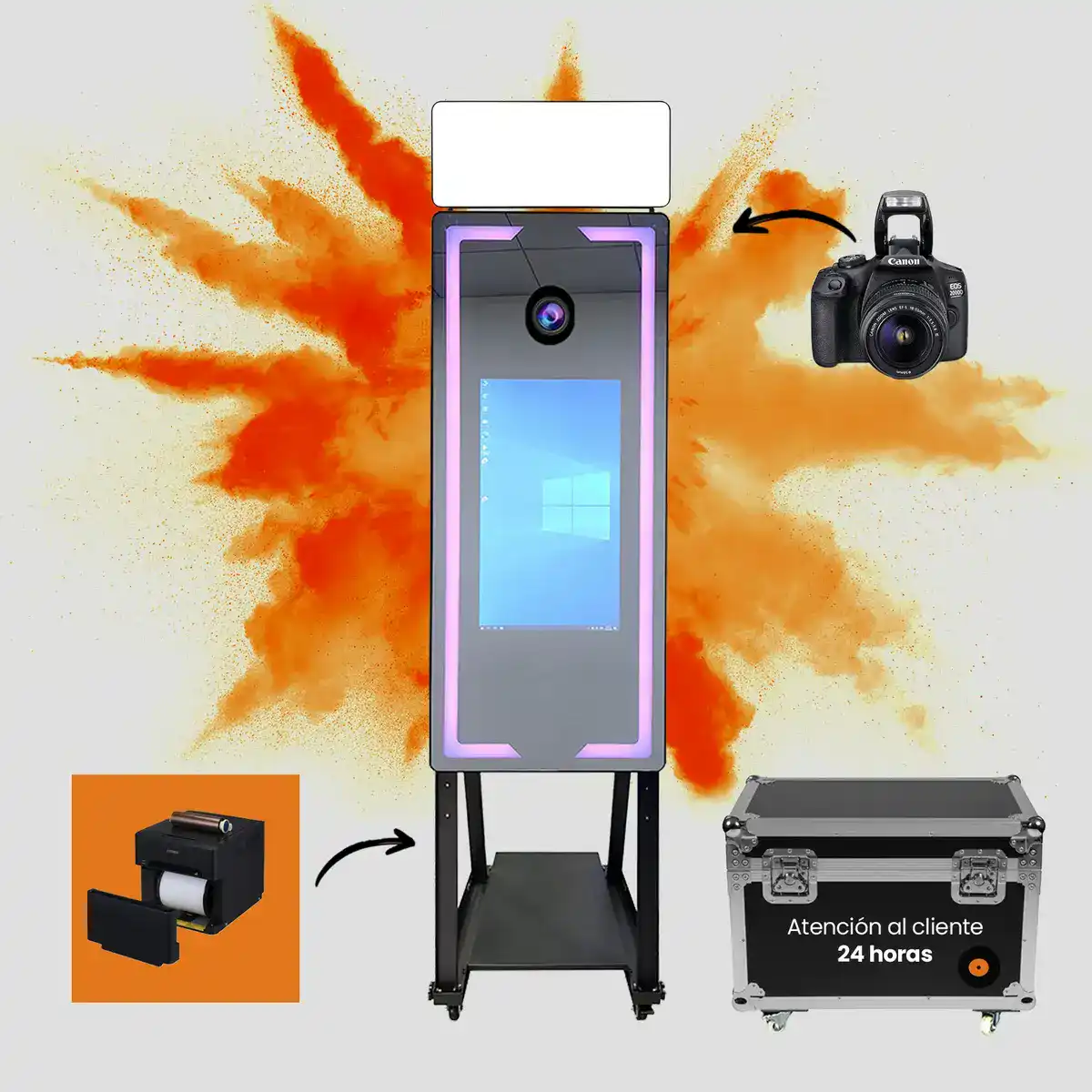
Magic Mirror
Elegance and a premium experience for weddings, ready for instant printing*
From 2.290 €* →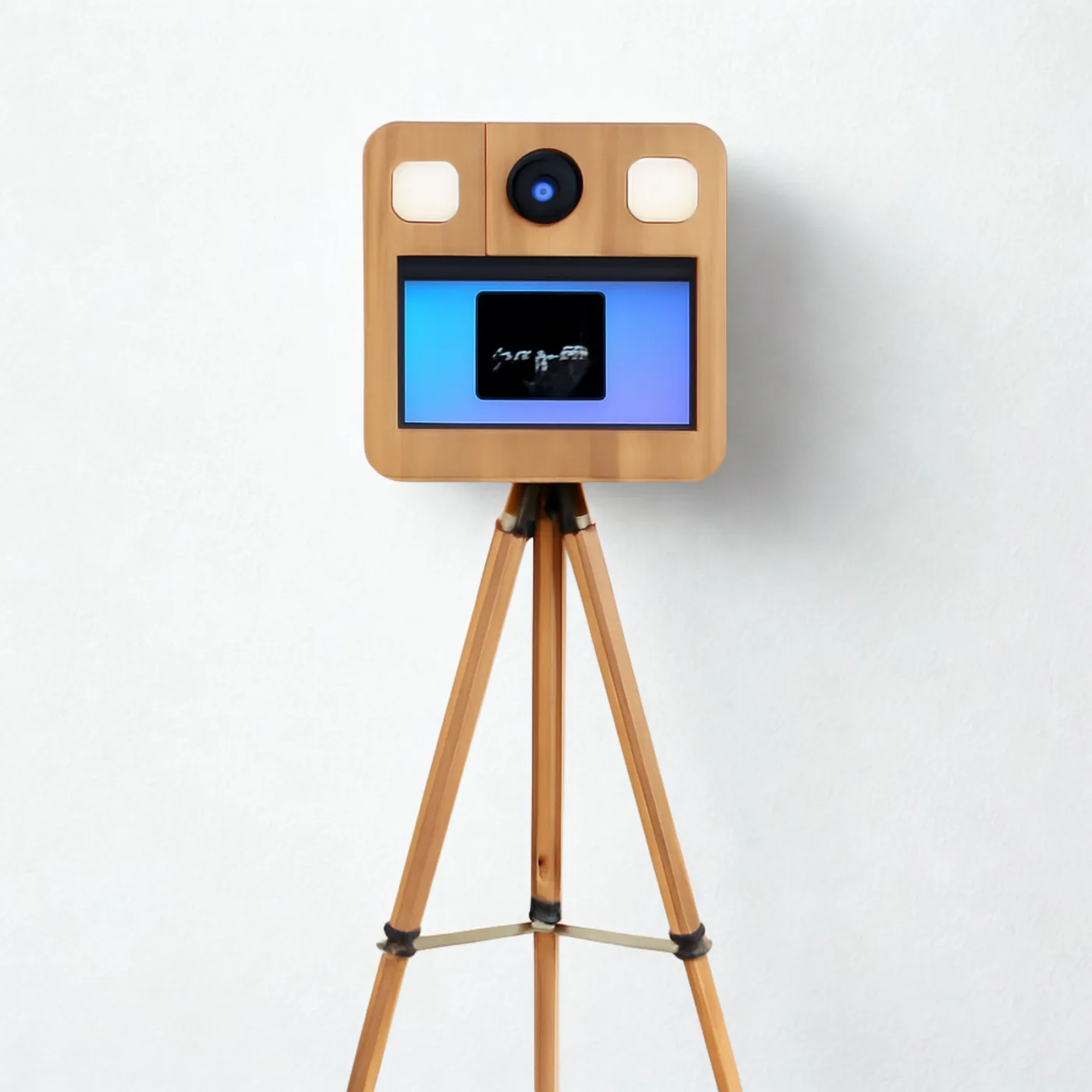
Vintage Premium
Vintage design, ready for a Canon camera and instant printing*
From 2.290 €* →* Photo booth price. Canon camera and DNP printer optional, subject to conditions: ask us for a quote and we will put together the complete kit.
Keep reading

Need Help Choosing?
We're direct manufacturers. We'll advise you with no obligation for your case.